
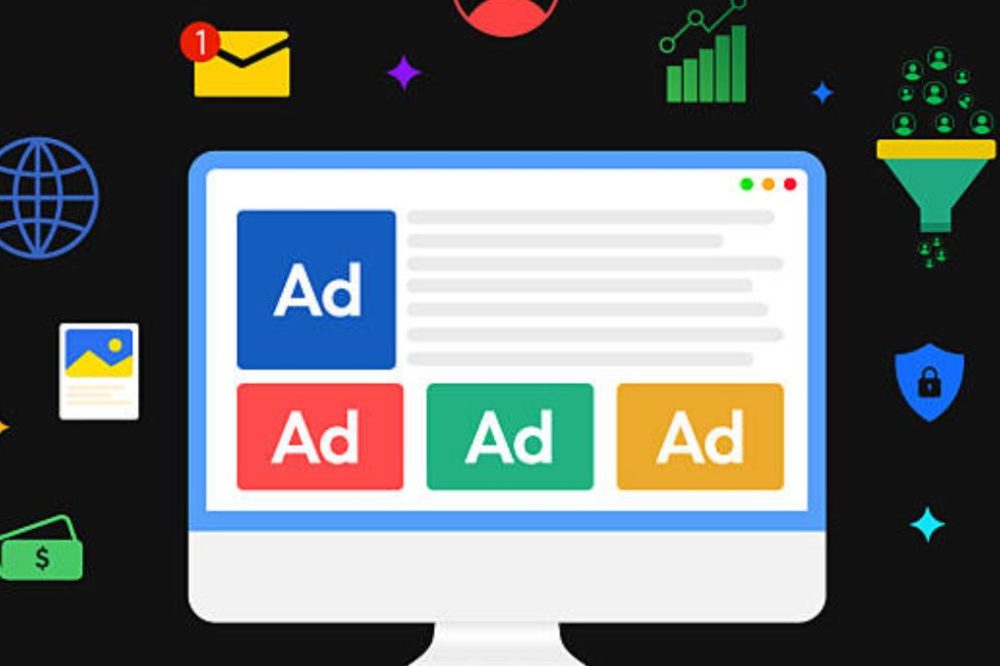
Managing Google Ads just thru the native UI quickly gets painful. The average corporate account experiments with dozens of campaigns, hundreds of ad groups, and even a small-business account spends hours a week on bid changes, keyword trimming, and manual reporting. The idea behind Google Ads management solutions is to plug that gap — third-party software that automates bid optimization, brings to light performance details the native interface doesn’t, and makes mass changes in minutes rather than hours.
Here’s the breakdown of the best Google Ads management tools for 2026, sorted by who each product actually suits – single advertisers, growing agency, and e-commerce firms conducting Shopping ads – so you can match the solution to your actual workflow, not just your budget.
Do You Really Need a Google Ads Management Tool?
Some advertisers don’t. If you’re running a single tiny account with a limited budget, the native Google Ads interface and the free Google Ads Editor may really be plenty. If you’re managing many accounts, spending enough that minor optimization gains mean significant money, or finding that manual activities are devouring time that should go toward strategy instead, specialized management software is worth its cost. Before you compare certain platforms it’s good to be honest about what group you fall into.
1. Optmyzr – Best for Agencies Managing Automation at Scale
Optmyzr is routinely ranked as a top choice for agencies that manage a large number of accounts, because to its unique Rule Engine, which allows teams to design automated optimization logic for specific client needs rather than using generic, one-size-fits-all rules. It offers bid management, budget pacing and reporting all in one platform engineered to grow across numerous accounts at once.
Best for: Agencies with a high volume of accounts who need rule-based automation that is adjustable not predefined presets.
2. WordStream – Best for Beginners and Small Businesses
WordStream is built on guided, plain language workflows – its “20-Minute Work Week” functionality guides less experienced advertisers thru the most impactful optimizations without having significant PPC expertise. It also allows you to manage Google Ads, Facebook Ads and Microsoft Advertising across platforms from one interface and has a built-in landing page builder. Pricing is bespoke dependent on ad expenditure and is often around $299/month to begin with.
Best For: Small business owners and marketing generalists who want proven results without spending time becoming PPC experts.
3. Adalysis – Best for Testing Ads with Data
Adalysis is built for the advertisers that are preoccupied with rigorous ad testing and Quality Score optimization. Broad automation isn’t its thing; instead, it’s specifically focused on statistically sound A/B testing and highlighting account health issues that generic dashboards tend to miss.
Best for: Data-driven advertisers who prefer to test variations of ads systematically, rather than relying on gut-feel creative selections.
4. Opteo – Best For Solo Advertisers Looking For Instant Recommendations
Opteo is made to give smart, actionable recommendations fast, without the setup overhead of more sophisticated solutions. It’s a terrific tool for freelancers or solo in-house marketers who want optimization tips that matter, without a high learning curve.
Best for: Solo advertisers and small in-house teams looking for quick wins with minimal setup.
5. TheOptimizer – Best Multi-Channel Rule Automation Tool
TheOptimizer is amazing for bringing together rule-based automation across Google Ads, Meta and TikTok, giving it a perfect choice for marketers that don’t want to manage distinct automation logic for each platform they run their campaigns on.
Best for: Unified rules of automation for advertisers conducting coordinated ads across Google, Meta, and TikTok.
6. Swydo – Best White Label Agency Reporting
Swydo is all about automating white-label client reporting. That means agencies save the huge amount of time they would normally spend each reporting period developing and branding performance reports for every client, manually.
Best for: Agencies who want to automate polished, branded client reporting without having to develop the reports manually.
7. TrueClicks – Best for Cross-Account Health Monitoring
TrueClicks is designed to watch the health of accounts across several accounts at once with pacing notifications that will identify budget or performance issues before they become pricey problems. This is of great utility to agencies with enough accounts to make daily monitoring impossible manually.
Best for: Agencies looking for proactive warnings across several accounts instead of having to check each account individually.
8. Google Ads Editor – The Best Free Bulk Editing Tool
Google’s own free desktop program still can’t be beaten for sheer bulk-editing efficiency. Updating hundreds of keywords, rearranging ad groups, copying campaigns between accounts – tasks that would take hours on the web interface can be done in minutes, and changes may be made offline before syncing. Remember that Google Ads Editor doesn’t provide recommendations or give you any performance information. It is a tool for editing and managing-not for optimizing.
Best for: Any advertizer who needs to make bulk updates consistently, regardless of what other tools they use in tandem.
9. Smec (Smarter Ecommerce) – Best For High-SKU Retailers On Google Shopping.
smec aims to guide Google’s automatic bidding for mid-to-large retailers running Google Shopping and Performance Max ads using real business data – margins and stock levels – to make sure campaigns optimize for genuine profit, not just surface-level efficiencies like ROAS.
Best for: E-commerce firms with big product catalogs seeking to optimize PMax and Shopping campaigns with actual margin data.
10. AI Native Autonomous Platforms (Ryze AI, and comparable tools)
A recent class of technologies goes a step farther with automation, seeking to manage bid optimization, budget allocation and reporting with as little hands-on campaign management as possible. These platforms are worth a look, but be sure to ask for real performance data from your own trial period rather than relying on the vendor-reported case studies alone, as this is a fast-moving and heavily marketed category.
Best for: Advertisers who want to experiment with how much regular optimization can be done autonomously, with human supervision on strategy.
Side By Side Comparison
| Tool | Best For | Feature Standout |
|---|---|---|
| Optmyzr | Agencies, at scale | WordStream Custom Rules Engine |
| WordStream | Beginners and small business | “20-Minute Work Week” Advice |
| Adalysis | Ad testing | Quality Score emphasis + Rigorous A/B testing |
| Opteo | Solo advertisers | Quick, low-prep ideas |
| TheOptimizer | Multi-channel automation | Unified Rules Google + Meta + TikTok |
| Swydo | agency reporting | Automated report tailoring |
| TrueClicks | Account Health Monitoring | Alerts for cross-account pacing |
| Google Ads Editor | mass edit | Free, fast, offline mass editing |
| Smec | High SKU e-commerce | Optimization on profit (PMax/Shopping) |
What Google Ads Management Software Really Automates
- Automated bid rules that increase or decrease spend based on performance levels without having to verify manually every day
- Bulk edit massive amounts of keywords, ad groups or campaigns simultaneously
- Cross-channel reporting that mixes Google Ads and other channels in a single dashboard
- AI-driven suggestions that show possibilities to optimize that a person could miss with many accounts
- Alerting on budget pacing or account health issues before they burn thru a lot of wasted spend or are under-performing
Choosing the Right Tool for Your Situation
- Choose the right tool for your account volume. A single modest account rarely justifies enterprise-tier software; it is several accounts or escalating complexity where dedicated solutions start to pay for themselves.
- Identify your real bottleneck. Agencies drowning in client reporting need something like Swydo. Advertisers who want smarter testing require Adalysis. Those juggling several accounts need health-monitoring alerts like TrueClicks.
- Decouple e-commerce-specific requirements. Performance & Shopping for retailers with high SKUs General PPC software like smec is not as great as purpose-built tools for Max campaigns.
- Don’t forget Google Ads Editor. Even if you go for a subscription platform, the free bulk-editing tool is still a real asset to have for large-scale structural modifications.
- Test AI-autonomous tools diligently. During a trial period, evaluate the actual performance of the latest generation of highly automated systems in your own account, not just the vendor marketing claims.
Summary
There’s no one size fits all best Google ads management tool. The correct one will depend on your account size, team structure and where exactly your time is being wasted. Solo advertisers and small businesses tend to do best with guided, low-setup tools like Opteo or WordStream. Agencies managing scale benefit most from customizable automation like Optmyzr. And e-commerce brands running Shopping campaigns should look specifically at retail-focused platforms like smec. Whatever tool you choose, use it in conjunction with Google Ads Editor to make mass adjustments, and use the automated recommendations of any tool as a starting point for human judgment, not as a replacement for it.
Frequently Asked Questions FAQs
1. What is the best tool to manage google ads in general?
There is not one product that is superior than the rest for everyone. If you’re an agency wanting to do bespoke automation at scale, Optmyzr is a wonderful alternative, WordStream is best for beginners and small firms wanting guided processes, and Adalysis is the best option for marketers wanting to focus on rigorous ad testing. It is depending upon your volume of account and your particular bottleneck.
2. Is Google Ads Editor enough or need I buy Google Ads management software?
If you are managing one tiny account and have a limited budget, the native interface in Google Ads Editor is enough. Paid management solutions are worth effective if you’re managing several accounts and spending enough for optimization advantages to transfer to considerable savings, or you’re spending a lot of time on manual repetitive tasks.
3. How much does Google Ads management software cost?
Prices vary greatly from platform to platform, generally dependent on ad spend, not a set fee. Some subscriptions, like WordStream, begin at $299 per month, while other enterprise-focused platforms require unique estimates based on account volume and restricted budget.
4. Do Google Ads management tools genuinely increase ROAS or do they merely save time?
Most of the time both. Automated bid rules, systematic ad testing and AI-driven recommendations are meant to reduce wasted spend and increase return on ad spend, not just save manual effort – tho results vary by account, and it’s worth evaluating the impact of any specific tool in your own campaigns, rather than assuming vendor-reported averages will translate directly to your situation.
5. What’s the difference between a Google Ads management tool and a fully managed PPC agency?
A Google Ads management tool is software that you use to improve campaigns yourself, often with automation and reporting tools built on top of your own strategic decisions. You get an agency service that is fully managed. Strategy and execution is done for you. WordStream is one of the platforms that provides both the self-serve tool and the managed service option depending on how hands-off you want to be.

Enjoyed this article?
If this guide helped you, consider supporting Rough Diary. Your support helps us continue creating practical, informative, and useful AI and technology content.





