
Every week millions of hours of productive discourse are lost. A client call regarding major requirements. A strategy session where major choices were taken. A sales call where a prospect explained exactly what they needed. All that information ends up in the faulty memories of whoever was there, fading and misremembered and inaccessible to team members not on the call, with no accurate transcription or organized notes.
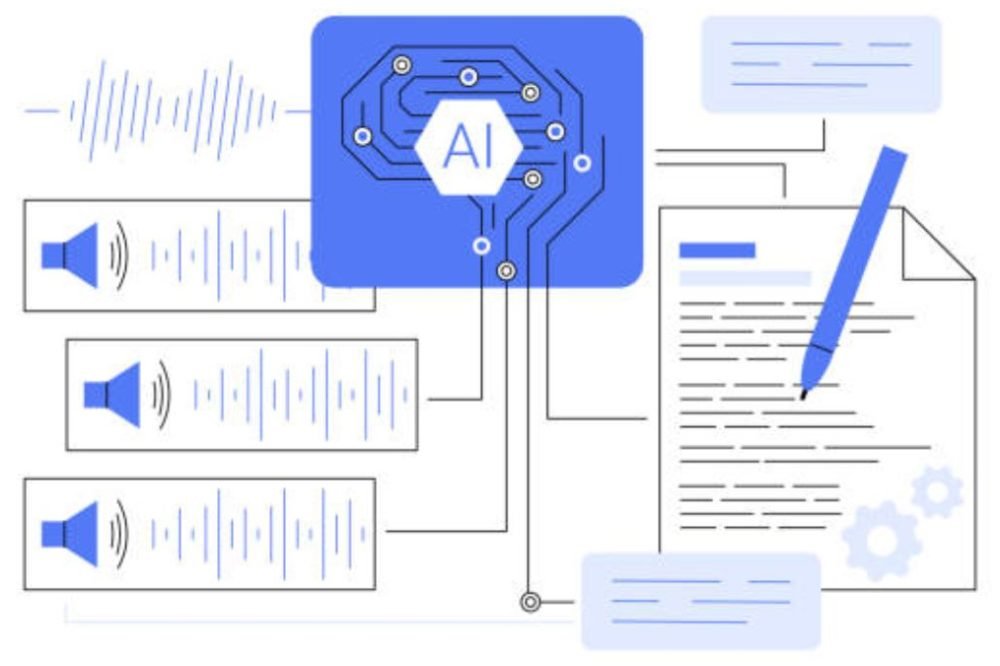
AI transcription tools have solved this problem in a way manual note-taking never could. They type every word verbatim, identify who said what, summarize the important points, extract the action items, and make the whole conversation searchable, automatically, often before the meeting even ends. The best tools do this accurately enough to replace the note-taker entirely rather than just creating another document to review later.
In this post we compare the best AI tools for transcription and meeting notes, looking at accuracy, integrations, speaker identification, cost, and what each tool is best at.
Why AI Transcription Tools Matter More Than Ever
With the shift to hybrid and remote work, meetings have become more frequent and more dispersed. Not everyone can join every call because teams span different time zones. Clients and partners connect through different platforms. And the expectation that every meeting produces clear, documented outcomes, action items, decisions, next steps, has grown considerably.
Manual note-taking fails this environment in several ways: the note-taker can’t fully participate in the conversation, notes are filtered through one person’s perspective, they’re rarely shared consistently, and they’re almost never searchable afterward. AI transcription removes all of these limitations at once.
What to Look For in an AI Transcription Tool
Before comparing specific platforms, here are the factors that separate genuinely useful tools from ones that just add another transcript to your pile:
Transcription accuracy is the foundation for everything else. Low accuracy means more time correcting errors than you would have spent taking notes by hand. Look for tools trained on a range of accents, technical vocabulary, and real conversation with crosstalk.
Speaker identification, or diarization, is the ability to correctly label who said what. In a multi-speaker meeting, “AI: the project is delayed” tells you nothing useful, while “Sarah: the project is delayed” is actionable.
Live versus post-processing matters depending on your needs. Some tools transcribe during the meeting itself, others process the recording afterward. Real-time sharing is instant; post-processing usually produces more accurate results.
AI-generated summaries and action items are what separate a transcript (everything that was said) from actual meeting notes (what matters). The best tools automatically pull out decisions, action items, and key points.
Platform integrations decide how well a tool fits your workflow. Which video conferencing tools does it support, Zoom, Google Meet, Microsoft Teams, Webex? Does it connect to your CRM, project management tool, or Slack?
Search across transcripts is one of the highest-value features once you have a backlog of meetings. Being able to ask “what did we decide about the Q4 budget?” across weeks or months of calls saves real time.
Privacy and data security deserve real attention since meetings often cover sensitive information. Know where transcripts are stored, who can access them, and whether the vendor uses your content to train their models.
Pricing model varies a lot, per-hour, per-seat, per-month, or usage-based, and can meaningfully change your total cost depending on meeting volume.
Best AI Transcription and Meeting Notes Tools
1. Otter.ai
Otter.ai is the most widely adopted AI meeting transcription app for individuals and small teams. It transcribes live meetings in real time, identifies speakers after a short learning period, highlights key terms, and generates automatic summaries at the end of each conversation.
Its OtterPilot feature automatically joins Zoom, Google Meet, and Microsoft Teams meetings as a bot participant, transcribing and summarizing without the host needing to remember to hit record. The resulting transcript is shareable via link, exportable as a document, and searchable across all past meetings.
The free tier (600 minutes per month) is genuinely useful for light use. Otter Business adds shared workspaces, custom vocabulary for jargon, and admin controls for teams.
Best for: Solo professionals, small teams, journalists, researchers, and anyone who wants straightforward, accessible transcription across multiple platforms at low cost.
Accuracy can drop with heavy accents, background noise, or technical jargon that isn’t common. Speaker ID usually needs a few sessions to calibrate properly.
Pricing: Free (600 min/month). Pro: $16.99/month. Business: $30/user/month.
2. Fireflies.ai
Fireflies.ai is automation-first. Its AI bot joins your calendar meetings automatically across Zoom, Google Meet, Teams, Webex, and others, transcribes everything, and produces summaries, action items, and sentiment analysis without any manual setup.
Its biggest strength is the depth of post-meeting intelligence. Beyond a summary, Fireflies creates topic-labeled sections of the conversation, tracks action items with speaker attribution, offers sentiment scoring across the call, and integrates with CRMs like Salesforce and HubSpot to log call data automatically.
Search is particularly strong here, you can search across all transcribed meetings with keyword and topic filters, or ask its built-in assistant questions about what was discussed across your entire meeting history.
Best for: Sales teams needing CRM integration for call tracking, remote teams that want automatic meeting capture with zero setup, and businesses that need detailed analytics across many calls.
Pricing: Free (limited meetings). Pro: $18/user/month. Business: $29/user/month. Enterprise: custom pricing.
3. Fathom
Fathom has become one of the most recommended meeting notes tools for its combination of speed, accuracy, and simplicity. You click to highlight key moments during the call, and it generates an AI summary right after the meeting ends, often before you’ve even closed the window.
It has the most generous free plan on this list, unlimited meetings, unlimited transcription, unlimited AI summaries, making it the natural starting point for anyone exploring AI meeting tools. Paid tiers add team features, CRM integrations, and sharing workflows.
Fathom syncs easily with Salesforce, HubSpot, and Notion, pushing meeting summaries and action items directly into those systems, which makes it especially useful for sales and customer success teams.
Best for: Individual professionals who want the best free tier, sales and customer success teams needing automatic CRM logging, and anyone who prioritizes fast summary delivery over deep analytics.
Pricing: Free (unlimited for individuals). Team Edition: $15/user/month. Team Edition Pro: $29/user/month.
4. Notion AI Meeting Notes
For teams already using Notion as their knowledge base, Notion AI’s meeting notes feature offers a direct path from transcription to organized, searchable documentation. Record a meeting or import a transcript, and Notion AI generates a structured note with a summary, decisions, and action items, placed right into your workspace and linked to related projects.
The value here isn’t transcription quality, since Notion relies on connected recording tools, it’s the workflow integration. Meeting notes live alongside everything else in your knowledge system rather than sitting in a separate tool no one revisits.
Best for: Teams that already use Notion as their main documentation system and want meeting notes to live there too.
Pricing: Notion AI add-on at $10/member/month (not included in standard Notion plans).
5. Microsoft Teams Copilot
Meeting transcription and intelligent recap are built directly into Microsoft Teams and Microsoft 365 Copilot, so enterprises don’t need a separate app. If you want to get more out of Teams beyond just transcription, our guide to Microsoft Teams tips and hidden features covers shortcuts and settings most users never discover.
Teams Copilot generates AI meeting notes, extracts and assigns action items, creates chapter markers for recordings, provides searchable transcripts with speaker labels, and can answer questions about the meeting after the fact, asking “what did Sarah say about the budget?” pulls a direct answer from the transcript.
Teams Premium includes Intelligent Recap, one of the most complete post-meeting intelligence packages available. If your organization already pays for Microsoft 365 Copilot, you likely don’t need a separate transcription tool.
Best for: Organizations with Microsoft 365 and Copilot licenses that want integrated meeting intelligence without adding another vendor.
Pricing: Included with Microsoft 365 Copilot ($30/user/month add-on) or Teams Premium ($7/user/month for Intelligent Recap).
6. Zoom AI Companion
Zoom’s native AI Companion offers meeting summaries, smart recordings with chapter markers, and in-meeting AI queries directly inside the Zoom platform. For organizations standardized on Zoom, this is the path of least resistance, no extra bot joining, no external account, everything stays inside Zoom.
Zoom AI Companion comes at no additional cost on paid Zoom plans, making it the most accessible option for Zoom-heavy organizations, and it now competes well with standalone tools.
Best for: Teams already using Zoom that want AI meeting notes without adding another provider or expense.
Pricing: Included with Zoom Pro, Business, and Enterprise plans.
7. Rev AI
Rev has offered transcription services since 2010, with both human transcription (for maximum accuracy) and AI transcription (for speed). Its AI engine is among the most accurate available, particularly for multi-speaker audio, clear recordings, and technical content.
Rev AI isn’t built around meetings specifically. It’s designed for transcription as an end product, legal proceedings, medical dictation, media captioning, research interviews, and podcast transcription. If you need the most accurate transcript possible of an audio or video file rather than live meeting notes with summaries, Rev AI is the professional choice.
Best for: Legal professionals, medical transcription, journalists, researchers, and podcast producers who need maximum accuracy for audio or video files rather than live meeting notes.
Pricing: AI transcription from $0.25/minute. Human transcription from $1.50/minute.
8. Whisper (OpenAI) in Third-Party Apps
OpenAI’s Whisper is one of the most accurate open-source transcription models, trained on a wide range of multilingual audio. There’s no consumer-facing app, it’s an API and model that powers several third-party transcription tools.
If you’re comfortable with APIs or developer workflows, using Whisper directly gives you the most flexibility, lowest cost, and strong accuracy, especially for non-English languages where many consumer tools fall short. Apps built on Whisper include MacWhisper and various web-based transcription tools.
Best for: Technical users, multilingual transcription needs, developers building custom workflows, and companies wanting more control over their transcription infrastructure.
Pricing: API access at $0.006/minute, very reasonable at scale.
9. Notta
Notta is a full-featured AI meeting notes platform best known for its multilingual support, covering 104 languages, including real-time translation between them. Its ability to transcribe and translate simultaneously is a genuine advantage for multinational teams whose meetings cross language lines.
The interface is clean, with options for live transcription, transcription of uploaded files, AI summaries, and export. Team workspaces include shared transcript libraries searchable across all team meetings.
Best for: International organizations holding multilingual meetings, and global teams that need transcription and translation in a single platform.
Pricing: Free tier (120 min/month). Pro: $14.99/month. Business: $27.99/month.
10. Grain
Grain is built for revenue teams, sales, customer success, and account management, who need to capture, share, and analyze customer conversations at scale. Its highlight feature lets reps clip key moments from calls, while team workspaces let managers review and coach from real call recordings using AI-generated talking point summaries.
Its strongest feature is CRM integration. Grain automatically pushes call highlights, summaries, and action items directly into Salesforce, HubSpot, or whatever CRM you use, eliminating manual data entry after sales calls. If you’re still deciding which CRM to build your sales workflow around, our guide to choosing the right CRM covers how to avoid picking the wrong one.
Best for: Sales teams, customer success teams, and revenue organizations looking for call intelligence inside their CRM workflow rather than a general-purpose meeting notes app.
Pricing: Free tier available. Starting at $19/user/month. Business: $39/user/month.
AI Transcription Tool Comparison
| Tool | Best For | Real Time | Auto Join | Summaries | CRM Integration | Starting Price |
|---|---|---|---|---|---|---|
| Otter.ai | General use, individuals | Yes | Yes | Yes | Limited | Free / $17/mo |
| Fireflies.ai | Sales, analytics | Yes | Yes | Yes | Yes | Free / $18/mo |
| Fathom | Best free tier, simplicity | Yes | Yes | Yes | Yes | Free / $15/mo |
| Notion AI | Teams that use Notion first | No (import) | No | Yes | No | $10/mo add-on |
| Teams Copilot | Microsoft 365 orgs | Yes | Built-in | Yes | Power Automate | $30/mo (M365 Copilot) |
| Zoom AI Companion | Zoom-first orgs | Yes | Built-in | Yes | Limited | Part of Zoom |
| Rev AI | Max accuracy, files | No | No | No | No | $0.25/min |
| Whisper (OpenAI) | Technical users | No | No | No | No | $0.006/min |
| Notta | Multilingual teams | Yes | Yes | Yes | Limited | Free / $15/mo |
| Grain | Sales teams, CRM | Yes | Yes | Yes | Yes (native) | Free / $19/mo |
How to Choose the Right Tool
It depends on your main use case:
For personal or general professional use, start with Fathom’s free tier, unlimited meetings summarized by AI at no cost, with genuinely good quality. Upgrade only if you need team features.
For sales and revenue teams, Fireflies.ai or Grain both offer strong CRM integration that automatically logs call data to Salesforce or HubSpot.
For Microsoft 365 organizations, Teams Intelligent Recap is likely already included with your Copilot license. If not, Zoom AI Companion or Fathom are low-cost alternatives.
For maximum transcription accuracy, use Rev AI for audio files, or Whisper if you have API access. Both consistently outperform meeting bot tools on raw accuracy.
For multilingual global teams, Notta’s support for 104 languages and real-time translation makes it the clear choice.
For Notion-first teams, Notion AI meeting notes keeps everything inside your existing knowledge system.
Privacy Considerations for AI Transcription
Transcription tools record confidential conversations, client discussions, financial planning, HR conversations, legal matters. Before adopting one, check the following:
Where are transcripts stored, and in what country? This matters for GDPR and other data residency requirements.
Does the vendor use your transcripts to train their AI models? Most enterprise tiers explicitly exclude this, so check free tiers carefully.
Participant consent matters in many places. It’s illegal to record a conversation without consent from participants in many jurisdictions, including two-party consent states in the US and under GDPR in Europe. Most tools notify participants when a bot joins, but it’s worth confirming and disclosing transcription in the meeting invite.
Data retention and deletion policies vary by vendor. How long do transcripts remain stored, can you delete them, and what happens to your data if you cancel?
Access controls matter for sensitive discussions. Know who within your organization can access transcripts, and restrict access for sensitive HR or executive conversations.
Getting More Value From AI Meeting Notes
Using a transcription tool is only the first step. These habits get more value out of it:
Review and edit summaries before sharing. AI summaries are a starting point, not a finished document. Check for accuracy and context before sending them to others.
Always track action items somewhere. AI-identified action items only matter if someone owns them. Sync with your task management tool, Asana, Jira, Linear, so items land in your actual workflow.
Use your meeting history, it’s the most underused feature. Being able to instantly answer “what did we decide about pricing in Q2?” from your transcript archive saves real time.
Create coaching clips for sales and customer success teams by clipping specific moments, objection handling, competitor mentions, product feedback, and sharing them for team learning.
Build a searchable knowledge base over time. Transcripts and summaries accumulate into institutional knowledge. Teams that review this history before meetings avoid rehashing problems that were already solved.
Final Thoughts
The best AI transcription and meeting notes tools don’t just transcribe words, they turn conversations into structured, searchable, actionable knowledge. For individuals, Fathom’s free tier is the sensible starting point. For sales teams, Fireflies or Grain connected to your CRM removes manual data entry entirely. For Microsoft 365 organizations, Copilot’s Intelligent Recap alone can justify the license cost for teams that spend a lot of time in meetings.
Whichever tool you choose, its real value comes from consistent use over time, a growing, searchable archive of every meaningful conversation your team has had. That institutional memory, collected and organized automatically, is worth far more than the subscription cost of any tool on this list.
Frequently Asked Questions
What’s the most accurate AI transcription tool?
Rev AI has the highest accuracy for pre-recorded audio files, often exceeding 90% even on difficult recordings. Fireflies.ai and Otter.ai are consistently among the most accurate for live meeting transcription. OpenAI’s Whisper model, whether used directly or through apps built on it, is very accurate, especially for multilingual content. Accuracy overall depends heavily on audio quality, accents, and background noise.
Which AI transcription tool has the best free plan?
Fathom offers the most generous free tier, unlimited meeting transcriptions and AI summaries for individual users at no cost. Otter.ai gives 600 minutes per month free. Fireflies.ai offers a limited free plan. Zoom AI Companion is included free on paid Zoom plans. For most people starting out, Fathom’s free tier covers everything needed.
Are AI transcription tools secure enough for confidential meetings?
Most enterprise-grade tools include strong security features: SOC 2 Type II compliance, encryption at rest and in transit, access controls, and data residency options. For highly sensitive meetings, legal, HR, M&A, verify specific compliance certifications, confirm the vendor doesn’t train models on your data, and consider whether built-in platform tools like Microsoft Copilot might be a better fit than third-party bots joining the call.
Do I need to tell meeting participants that AI is transcribing the call?
Yes, in most places. Recording a conversation without participant consent is illegal in many jurisdictions, including two-party consent states in the US and under GDPR across much of Europe. Most AI meeting tools automatically notify participants when a bot joins. Best practice is to disclose transcription in the meeting invite so everyone is aware beforehand.

Enjoyed this article?
If this guide helped you, consider supporting Rough Diary. Your support helps us continue creating practical, informative, and useful AI and technology content.





