
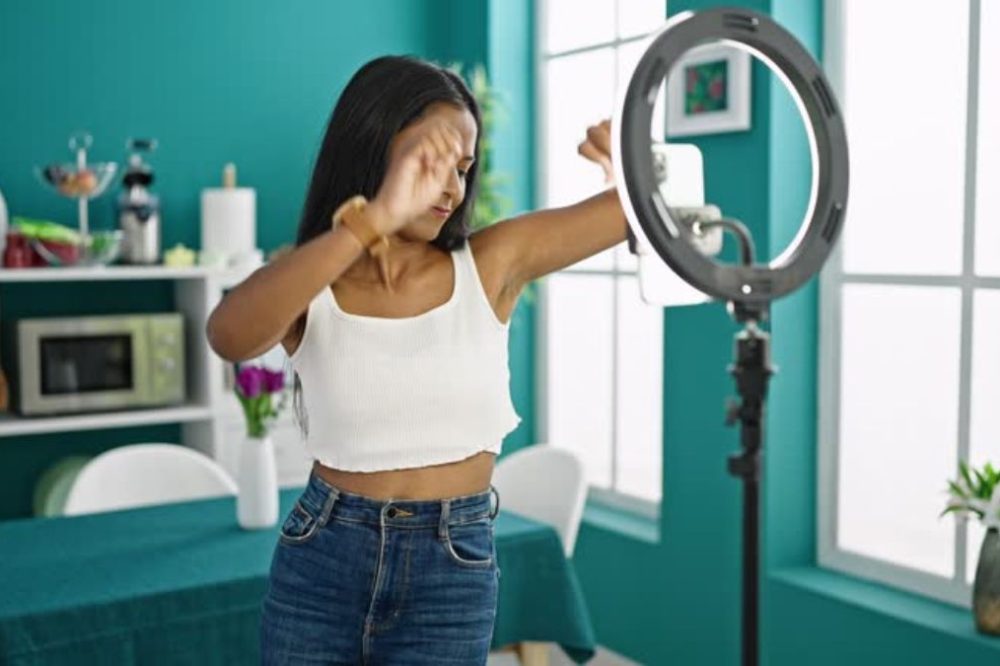
The one thing that separates a professional-looking content maker from one who looks like they’re filming in a broom closet has almost nothing to do with camera quality. It’s all in the lighting and the set-up. An $ 80 webcam in a good lighted area will look better than a $ 300 webcam with bad lighting . It all comes down to ring lights, key lights, fill lights and background setups the difference between the producers that are taken seriously and the ones that lose viewers in the first five seconds.
Whether you’re setting up a streaming rig for Twitch, YouTube, TikTok or professional video calls, this article covers the best ring lights and crucial streaming gear for content creators in 2026 – from inexpensive beginner options to professional studio-quality sets.
Why Lighting Is the Most Impactful Upgrade for Content Creators
Most rookie content creators spend a lot on cameras and microphones before they invest in lighting. This is the other way round. Here’s why:
Cameras see light. No matter how good the camera sensor is it cannot pull detail out of a dark or poorly light scene. Good illumination offers the camera the data it needs to create a clear, accurate, color-correct image. awful lighting makes any camera appear awful.
Ring lights answer the most common lighting problem: flat, even illumination that removes sharp shadows on the face. The signature catch light (the circular reflection seen in the subject’s eyes) has become a hallmark of professional-looking content.
Lighting for streaming is different than photography lighting. Streamers and video creators require light that’s steady, adjustable, can be used for long periods, isn’t too hot, and looks well on camera, rather than simply in the room.
What to Look for in Ring Light
Before we go into specific items, here’s what you should look for when shopping for a ring light for content creation:
- Size – diameter of the ring light directly impacts the quality and spread of light. A 10-inch ring focuses a compact beam of light for close-up work. The 18 inch illuminates the whole face and top part of the body organically.
- Adjustable color temperature (warm 2700K to cold 6500K) allows you match the ambient light in your environment instead of fighting it.
- CRI (Color Rendering Index) – A CRI of 90+ brings out the true skin tones. Lower CRI lights distort color and make skin look weird.
- Brightness control – Dimmable lighting will allow you to get the best circumstances and avoid overexposure on different cameras.
- Mount compatibility – verify that the ring light will function with the phone, camera or webcam mount you need.
- Build quality – cheap ring lights flicker on camera (pulsing or banding on recorded footage). LEDs matter in quality.
Top Ring Lights for Content Creators
1. Elgato Ring Lighting
The top-tier option for dedicated streaming installations is the Elgato Ring Light. The 18-inch model provides strong and steady light, with a color temperature range of 2500-6500K and a CRI of 95+ for accurate skin tone representation. Its patented multi-mount arm works with Elgato’s broader streaming ecosystem, including desk mounts and monitor arms.
The difference between it and cheaper options is the software integration – with Elgato’s 4K Capture Utility and Stream Deck integration, you can modify brightness and color temperature with a button click during a stream, never touching the light itself. The build quality is far better than budget options and there’s no obvious flicker at any frame rate.
Best for: Serious streamers and YouTubers who need professional-grade lighting that integrates with the Elgato streaming ecosystem.
Beware of: Expensive. Best performance requires Elgato mounting ecosystem.
Price: About $199.99
2. Neewer 18 inch LED Ring Light
For multimedia creators, Neewer’s 18-inch ring light is the most popular affordable alternative – a real workhorse that delivers much above its weight class. Includes a stand, phone holder and camera mount. Covers entire 3200-5600K color temperature range and dims from 1-100%. CRI 95+ is great for the price.
This is the recommended for starting creators who are not yet prepared to invest in premium lighting. The build quality is not as polished as Elgato or professional lights, but the actual output quality is competitive. Neewer lights are the go-to set-up for hundreds of thousands of content makers.
Best for: Beginner and intermediate designers that want quality ring light production at an affordable price.
Price: $55-$75, depending on what is in the kit.
3. Lume Cube Panel Go
The Lume Cube Panel Go isn’t a ring light, it’s a rectangular LED panel, but it’s one of the most adaptable lighting tools for content makers on the go between venues due to its portability and output quality. It runs on batteries (no wire tethering), can be magnetically mounted on practically any surface, and generates high-quality bicolor light from 3200–5600K.
The Panel Go helps creators who shoot at multiple settings (travel content, on site interviews) overcome the “I can’t bring a ring light stand” dilemma while still delivering professional lighting quality.
Best for: Mobile artists, trip YouTubers, and anyone needing decent portable illumination.
Price: About $79.99
4. Godox LEDP260C
The Godox LEDP260C is a huge LED panel that professional video creators love for its bright, even illumination across a greater area, which is useful for full-body shots, green screen setups or two-person streaming. Output is much brighter than consumer ring lights, with 3300-5600K range and 0-100% dimming.
If you’re a streamer looking to establish a studio environment instead of a desk arrangement, LED panels like the Godox give the controllable, professional-quality light source used by broadcast and film crews.
Good for: dedicated studio use, professional video production, green screen streaming equipment.
Price: around $149-$199
5. Razer Aether Monitor Lightbar
The Razer Aether isn’t a ring light, but a light bar that attaches to your display. It’s mounted on top of your monitor and provides adjustable warm/cool light on your face without using up any desk space. Monitor light bars are a stylish alternative for streamers with cramped desk setups where a ring light stand isn’t feasible.
The RGB bias lighting provides your setup with some ambient backlighting, and the color temperature range is good enough for most streaming situations.
Best for: Streamers with limited desk space setups, content creators requiring a low profile lighting option.
Price: About $99.99
Building a Full Streaming Setup
Lighting is the basis, but a complete content producer setup requires a handful of other things. This is how you can create a pro streaming equipment at a few different price points:
Basic Starter Setup ($200-$400)
- Lighting: Neewer 18-inch Ring Light ($60) – gives the quality of lighting that makes the most visual difference for the least money.
- Camera: Logitech C920 or C922 webcam ($70-$100) – dependable 1080p image quality that works well in good light.
- Microphone: Blue Snowball iCE USB microphone ($50) or FIFINE USB microphone ($40) – A dedicated USB microphone makes a big difference in audio quality over laptop or webcam mics.
- Background: A clear, uncluttered strip of wall or a plain bookcase. Backgrounds are more important than most beginners believe.
- Total: $200-$300 for a setup that looks and sounds professional enough to attract an audience.
Mid-Range Build ($600–$1,200)
- Lighting: Elgato Ring Light ($200) or Neewer 18-inch plus small fill light ($100). Both are professional quality lighting.
- Camera: Sony ZV-E10 mirrorless camera ($600) with kit lens used as a webcam via Elgato Cam Link 4K ($130) or as a Logitech Brio 4K webcam ($200).
- Microphone: Audio-Technica AT2020USB+ ($149) or Shure MV7 ($249) – both provide you broadcast quality audio that your listeners will notice.
- Acoustic treatment: Basic acoustic foam panels ($30-$80) to eliminate room echo that makes audio sound cheap.
- Stream Deck: Elgato Stream Deck Mini ($80) – programmable buttons for scenes, sound effects, lights.
- All up: $700-$1,100 for a setup on pace with mid-tier professional creators.
Professional Studio Setup ($2000+)
- Lighting: Two-light configuration with key light and fill light – Elgato Key Light ($200) plus Elgato Key Light Air ($130) to achieve professional lighting that you can control and manage with software. Add a backlight ($50-$100) for depth.
- Camera: Sony ZV-E1 full-frame ($2,199) or Sony FX30 ($1,799) – cinema-quality sensors that give you the smooth background blur and cinematic color grading top artists employ.
- Lens: Sony 16mm f/1.4 or 20mm f/1.8 – quick prime lenses intended for the angles that content makers often shoot.
- Microphone: Shure SM7B ($399) with Focusrite Scarlett Solo audio interface ($130) – the industry standard broadcast microphone for professional podcasters and broadcasters
- Capture Card: Elgato 4K X ($149) to get camera output into streaming software.
- Software: OBS Studio (free) or Streamlabs (free/paid) for broadcasting Elgato’s ecosystem software for lighting control
- Acoustic treatment: Professional sounding treated room with acoustic panels ($150-$300)
- Total: Between $3,000-$5,000+ for a real broadcast quality setup.
Streaming Gear & Software
Hardware is only half the equation. A full streaming setup additionally requires:
- OBS Studio (Open Broadcaster Software): The vast majority of professional broadcasters utilize OBS Studio, which is a free, open-source streaming and recording software. It supports numerous scenes, source stacking, audio mixing and direct streaming to Twitch, Youtube and others. There is a learning curve but no paid program can beat its flexibility and performance.
- Stream Deck Elgato: The Stream Deck is a programmable keypad with custom LCD keys – each key can be programd to change scenes in OBS, play sound effects, adjust lighting, start/stop recording, or execute any keyboard function. For a live broadcaster with a complicated setup it’s the difference between smooth transitions and fumbling awkwardly with a keyboard.
- Green Screen: A green screen (chroma key background) allows OBS to replace your background with any virtual environment – gaming footage, branded images, or virtual studio sets. The Elgato Green Screen ($159) is self-retracting, so it’s practical to set up and take down. The least expensive options are $20 for a basic fabric screen.
- Treatment of Acoustics: No mic sounds decent in an untreated room. The costly mics make it seem amateurish with echo and reverb. Budget options: hang acoustic foam panels behind your monitor and on side walls. Acoustimac or Acoustics World foam panels ($100-$250 for a beginner set) are an in-between alternative. Professional Option: Proper bass trap corners and broadband absorbers for a treated recording room.
Platform Specific Setup Considerations
Different systems have different ideal setups:
- Twitch: 1080p60 minimum for competitive viewer experience. Audio quality is more important to Twitch audiences than to most other platforms. The community appreciates authentic personality over production quality while YouTube values production quality above real personality.
- YouTube: 4K upload capabilities future-proofs your content (even if you stream/record in 1080p) For longer content, audio quality and camera stability are key. A good thumbnail lighting (bright, clean, emotive faces) is just as vital as the stream.
- TikTok / Instagram Reels: Vertical format (9:16 aspect ratio), strong energy, good mobile audio. Ring lights are especially good for the close-up, well-lit esthetic that these platforms reward. Mobile-first programming is brighter and more saturated than standard streaming.
- Podcast / Audio Content: Mic quality is king. Visual setup is less important than acoustic treatment. For this format, prioritize audio over video.
How to Prevent Common Streaming Setup Errors
- Purchasing a camera before you improve your illumination. The most expensive mistake, always. First, nail your lighting.
- Affordable ring lights with obvious flicker. Some cheap ring lights pulse at rates that are evident on camera as banding or pulsing brightness in recorded film. Trust nothing, test yours on camera.
- Disregarding acoustics. A $ 400 microphone will sound worse in an untreated environment than a $ 100 microphone with very basic acoustic treatment .
- Background noise. Messy backgrounds distract viewers and hurt professional credibility. Tidy up your background, or utilize a fake background.
- The wrong color temperature. Warm interior illumination unnaturally mixes with the chilly ring light. Match the color temperature of your ring light to the main light source of your room.
- Streaming with too low a stream rate. The camera and streaming bitrate impact the visual quality on stream. 6,000 Kbps minimum for Twitch or YouTube for 1080p60.
Conclusion
Building a professional streaming setup is a journey, not one purchase. Lighting is always the update that will make the most visual change to your current setup, so start there. A $60 Neewer 18-inch ring light will do more to change the look of your stream than a $600 camera upgrade in bad lighting ever could.
Once you’ve nailed the lighting, go thru the tier that suits your ambition and budget: a beginner setup for new creators developing an audience; a mid-range option for artists willing to invest in growth; and professional studio sets for creators serious about a career in video creation.
Frequently Asked Questions
1. What’s the ideal size ring light for streaming?
For normal streaming, the optimal size is an 18-inch ring lamp. It’s big enough to evenly light your face but tiny enough to fit on most desktops. A 10-inch ring light is fine for tight close-ups but produces harsher light at average streaming distances. If desk space is absolutely restricted, go 18 inches.
2. If I have good natural light, do I need a ring light?
Natural light is great but unreliable – it varies with the weather, time of day and season. For consistent and stable streaming quality session to session, a regulated artificial light source is more reliable than relying on natural light alone. Many makers also combine a ring light with natural light to balance it out and get a little more stability.
3. Ring Light vs Key Light for Streaming: What’s the Difference?
A ring lamp gives a nice even circular light, creating a characteristic catch light in the eyes. A key light, such as the Elgato Key Light, is a rectangular LED panel that provides you with directional, studio-style lighting that appears more cinematic and less “YouTuber.” Ring lights are great for casual streaming, but key lights are better suited for high-production setups that involve many light sources.
4. What microphone should I choose for my first ever streaming setup?
The Blue Yeti USB ($130) and Audio-Technica AT2020USB+ ($149) are the most commonly suggested starter mics for streamers. Both connect immediately via USB, sound vastly better than the mics on webcams or headsets, and do well in typical residential contexts.
5. Do I need a capture card for streaming?
If you’re using a mirrorless or DSLR camera as your webcam, you’ll need a capture card. It takes your camera’s HDMI out and turns it into a video source for OBS. If you are utilizing a webcam (Logitech, Razer, etc), then no capture card is needed. If you’re streaming console gameplay you’ll need a capture card to get that PS5 or Xbox footage into your PC streaming setup.

Enjoyed this article?
If this guide helped you, consider supporting Rough Diary. Your support helps us continue creating practical, informative, and useful AI and technology content.





