
Every VPN ad promises the same things: total anonymity, blazing speed, every streaming library unlocked. Most of that is marketing. This guide skips the rankings and shows you what to check, so you can judge any provider yourself.
Disclosure: this post may contain affiliate links in the future. If you buy through one, we may earn a commission at no extra cost to you. It never changes what we write.
What a VPN actually does
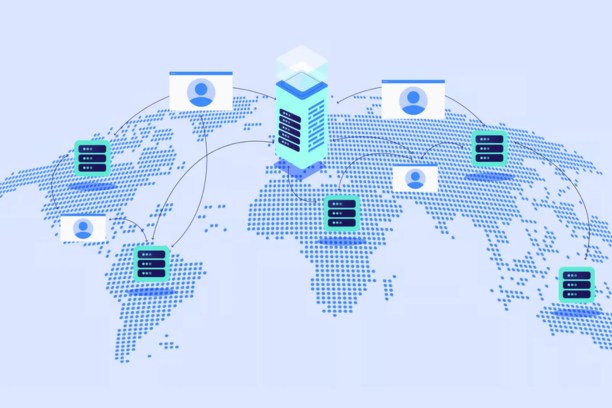
A VPN sends your traffic through an encrypted tunnel to a server run by the VPN company. Your internet provider and anyone on the same public Wi-Fi can no longer read which sites you visit. Websites see the VPN server’s location instead of yours.
That is all. It does not make you anonymous, it does not stop phishing, and it does not remove malware. The US Federal Trade Commission has also advised people to research VPN apps before trusting them, because the VPN company itself can see your traffic (FTC tips on VPN apps).
Do you need one?
- Public Wi-Fi and travel: useful, since you often cannot trust the network.
- Remote work: useful when your employer requires one or when you handle sensitive files on shared networks.
- Home network, trusted devices: a small privacy gain mainly against your internet provider, not a must-have.
- Streaming: VPNs can help with region access, but services block VPN servers regularly, and using one may break a service’s terms. No VPN works everywhere all the time.
The checklist that matters
| Check | Why it matters | What to look for |
|---|---|---|
| Independent no-logs audit | Anyone can claim “no logs.” | A named auditor and a published report, recent, on the provider’s own site. Some major providers, for example NordVPN and Surfshark, have published audits by Deloitte. Confirm the latest one yourself. |
| Kill switch | If the tunnel drops, traffic would otherwise leak on your normal connection. | A kill switch on every platform you use, switched on by default. |
| Jurisdiction and ownership | Local laws can force a company to keep or share data. Many VPN brands share a parent company. | Where the company is based and who owns it. A shared owner does not mean shared servers, but you should know. |
| Protocols and encryption | Weak or outdated protocols reduce protection. | Modern options such as WireGuard or OpenVPN. Almost all big providers use strong encryption, so “military grade” tells you nothing. |
| Speed in your own use | Every VPN adds some slowdown. | Use the free trial or refund window and test on your own connection. |
| Servers and devices | Coverage affects speed and flexibility. | Servers in countries you need, and a device limit that fits your household. |
| Real price | Long-term deals often renew at a much higher rate. | The renewal price, the refund window, and how to cancel. |
Common mistakes
Trusting free VPNs by default
Free services still have costs. Some earn money from ads or data, others limit speed to push upgrades. A few well-known providers offer an honest free tier tied to a paid product, but read the privacy policy before you rely on any of them for anything sensitive.
Believing “no logs” on a marketing page
Look for an audit, not a slogan. Even an audit covers one point in time, so check the date.
Skipping the kill switch
It is a settings toggle that people never open, until a connection drops at the wrong moment.
Buying the longest plan first
Start with a monthly plan or use the refund window. Commit longer once the speed and apps work for you.
Types of provider, and who each suits
Instead of a ranked list, match your need to a type. Check current features and pricing on each provider’s own site, because both change often.
- Value-focused, many devices: providers that allow unlimited or many simultaneous connections suit large households.
- Beginner-friendly: providers with simple apps and one-click connect suit people who just want it to work.
- Privacy-first: providers that publish source code, audits and transparency reports suit people who care most about trust.
- Power users: providers with deep settings and port control suit people who torrent or tweak network behavior.
A VPN is one layer, not the whole setup
A VPN protects your connection. It does not protect your accounts or your device. Pair it with:
- A password manager so one leaked password does not open everything.
- Antivirus software for malware already on the device.
- Backups, on an external drive and in a cloud backup service.
New to the basics? Start with what cybersecurity is and why data privacy matters. Running a business? See cybersecurity software for small business.
The bottom line
Pick a VPN on five things: an audited no-logs claim, a working kill switch, a jurisdiction you are comfortable with, speed you can verify with the refund window, and a renewal price you can accept. Ignore the rest of the sales pitch.
Frequently asked questions
Does a VPN slow my internet?
Slightly, because traffic takes a longer, encrypted route. A nearby server on a good provider is usually barely noticeable for browsing.
Can my internet provider still see anything?
It can see that you are connected to a VPN and roughly how much data you use, but not the pages you visit.
Is a free VPN safe for occasional use?
For light, low-stakes use it can be fine. For banking, work, or anything sensitive, use a paid provider with a published audit.
Is a VPN legal?
In the US, yes. Using one for illegal activity is still illegal, and some countries restrict VPNs.

Enjoyed this article?
If this guide helped you, consider supporting Rough Diary. Your support helps us continue creating practical, informative, and useful AI and technology content.