
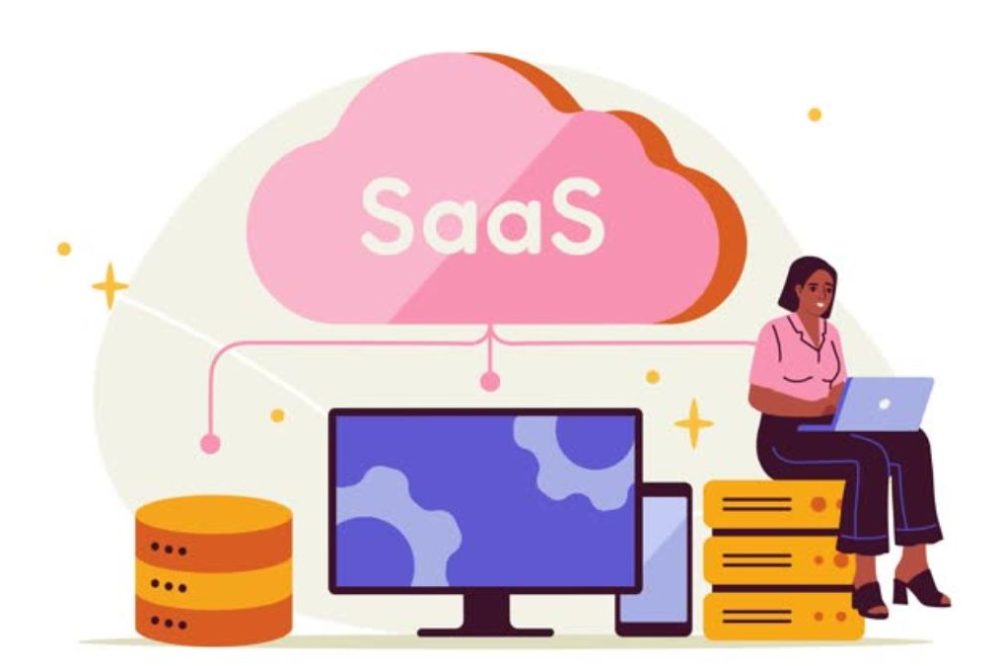
You utilize SaaS thousands of times every single day without even thinking about it. Gmail, Spotify, Slack, Zoom, Dropbox, Salesforce, Canva, Netflix. All of them are SaaS products. It is a term that is tossed around all the time in business, technology and startup circles, but for most individuals outside the tech industry it has never been adequately articulated.
This guide is for beginners and covers everything you need to know about SaaS (Software as a Service) – what it is, how it works, how it compares to traditional software, why it’s become the dominant software delivery model, what the different types look like, and what it means for businesses that buy SaaS products and entrepreneurs that build them.
SaaS stands for “software as a service.”
SaaS is the acronym for Software as a Service. It is a model of software licensing and delivery whereby software is hosted in the cloud and accessed by users over the internet, generally via a web browser or mobile app, on a subscription basis, as opposed to being bought as a one-time license and installed locally on a computer.
What makes it different is the “as a Service” element. Instead of buying software like you’d buy a tangible thing, you subscribe to it like you’d subscribe to a utility. You pay monthly or yearly, you receive access as long as you’re paying, and the vendor does all the rest – servers, maintenance, upgrades, security, backups.
SaaS Simplified: An Easy Analogy
Consider the difference between having a car and using a car-sharing service.
Buy an automobile (conventional software). You pay a lot of money up front. The car’s yours. But you’re on the line for upkeep, insurance, repairs and eventually replacement. If a better model comes out you’re still stuck with what you bought unless you buy again.
Car sharing (SaaS) You pay a monthly or per use cost. You always have access to a well-maintained automobile. Upgrades are automatic. No need to worry about upkeep. When you forget to pay, you lose access – but you never have to contend with a defunct vehicle in your driveway.
For software it’s the same notion but called SaaS. Instead of spending $400 for a package of Microsoft Office and installing it on your computer (and then repeating the process every few years when a new version comes out), you pay $10/month for a subscription to Microsoft 365, and always have the latest version, available from any device.
How technically does SaaS work?
Understanding the core technical model explains why SaaS was so dominant:
- Cloud infrastructure: SaaS applications are hosted on servers owned and controlled by the software vendor (or rented by the vendor on cloud platforms like Amazon Web Services, Google Cloud or Microsoft Azure). Users never see or touch this infrastructure.
- Multi-tenancy: most SaaS applications are built using a “multi-tenant” design, which shares a single software instance among numerous customers, but keeps each customer’s data separate and secure from the others. This is why SaaS is cheap . The seller does not have to give a separate server to each customer .
- Browser or app access: SaaS apps are accessed using a web browser (no installation needed) or via a specific mobile/desktop app that connects to the vendor’s servers. The software and data are on the vendor’s infrastructure, not on the user’s device.
- Continuous updates – Since everyone is using the same hosted version, the vendor can push out updates (bug fixes, new features, security patches) quickly without users having to download and install anything.You open the app on Monday and new features are there.
- Subscription billing SaaS pricing is generally based on a monthly or annual subscription charge, often based on the number of users, amount of consumption or level of services used.
Key Difference Between SaaS and Traditional Software
Knowing what preceded SaaS helps to understand why the model is important:
Classic software (on-premise)
Before SaaS, the program was sold as a product, a physical disc or digital installer that you bought for a one-time price (or a huge license cost for corporate applications) and installed on your own hardware.
Examples: Microsoft Office (before to 365), Adobe Photoshop (prior to Creative Cloud), QuickBooks Desktop, business ERP systems
Characteristics:
- Large upfront licence fee
- Installed on local machines or business servers
- IT crew for installation, maintenance, updates and security
- Upgrades for new versions are purchased individually
- Little or no access from other devices
- The IT infrastructure of the company bears the operational load
Software SaaS
Examples: Google Workspace, Adobe Creative Cloud, QuickBooks Online, Salesforce, Zoom, Slack.
Features: •
- Subscription cost (monthly or yearly)
- Browser or app access. No software installation.
- Vendor handles all infrastructure, updates & security
- Always use the latest version.
- Available on any device with an internet connection
- Scales with use – pay for what you use
The Business Critical Difference
The move from traditional software to SaaS software has profoundly affected the economics of software adoption. For years, business software deployment meant months of installation, hefty upfront expenses, specialized IT infrastructure, and professional consultants. SaaS products are generally online sign-up-able, configurable in hours, and cancel-able if they don’t work – drastically cutting the risk of testing new software.
Types of SaaS Product
SaaS is not one category – it encompasses just about every software use case. Here’s the breakdown of the large categories:
Business Software as a Service (B2B SaaS)
Business and professional software This is the biggest and most valuable SaaS category.
- CRM Software (Customer Relationship Management) – Salesforce, HubSpot, Pipedrive Client database management Client relationship management Sales pipeline management
- Project Management Tools (Asana, Monday.com, Jira, ClickUp) – tasks together and plan tasks across teams.
- Accounting & Finance Software: Xero, FreshBooks, QuickBooks Online Book keeping, Invoices, Payroll and Financial statements.
- HR & Payroll Software BambooHR Gusto Workday. Recruitment, remuneration, staff management and training.
- Marketing Software – Mailchimp, HubSpot, Marketo Email marketing, automation and campaign management.
- Zendesk, Freshdesk, Intercom Customer communication tools Helpdesk & Ticketing
- Communication & Collaboration – Microsoft Teams, Slack, Zoom. Team chat, video conferencing, document collaboration.
12. B2C SaaS (Consumer SaaS)
Software for the individual consumer, not the corporation.
Entertainment: Video & Music Streaming (Netflix, Spotify, Disney Plus)
Productivity: Google Docs , Dropbox , Evernote Organizing personal & file.
Creative Tools – Canva, Adobe Creative Cloud, Figma Design, Video Editing & Creative Production
Health & Fitness – Calm Meditation, health, health tracking, Headspace, MyFitnessPal.
Vertical Software as a Service (SaaS)
Industry SaaS. Dealing with problems that generic software can’t tackle well.
- Healthcare: electronic health record (EHR) software, telemedicine solutions, medical billing software.
- Real Estate: Software for managing properties, CRM for real estate agents, platforms for processing mortgages.
- Legal: Case management software, legal billing solutions, contract management platforms
- Restaurant & Hospitality. Point of sale systems, reservation management, kitchen display systems.
Vertical SaaS generally comes at a premium since it is solving very specific, very painful problems that mainstream tools can’t.
Infrastructure SaaS (IaaS adjacent and PaaS adjacent)
Software tools used by developers and technical teams to build other software.
- Developer Tools: GitHub, GitLab, Jira
- Cloud Infrastructure: Amazon Web Services, Google Cloud, Microsoft Azure (technically IaaS/PaaS but typically grouped with SaaS under the “cloud services” banner).
- Monitoring and Analytics: Datadog, New Relic, Mixpanel.
- Payment Processing: Stripe, PayPal, Square.
How SaaS Vendors Price Their Software
SaaS pricing is more complex than most purchasers understand. Understanding pricing models will assist you to effectively assess costs:
- per seat cost — the most common model. You pay per user every month. Salesforce, Slack, HubSpot all do this in different ways. Predictable for customers. Natural scalability for sellers.
- Pay-per-use pricing — you only pay for what you use (API calls, data storage, transactions processed). Stripe costs per transaction, Twilio costs per message sent, AWS costs per hour of processing. Value matches cost, but budgeting becomes difficult.
- Tiered Pricing – distinct features in different pricing tiers (Free, Basic, Professional, Enterprise) This is the same thing most SaaS products do. They provide a free or low-cost entry point, with premium features tucked behind higher layers. This is “freemium” where the base level is free.
- Flat Rate Pricing One price for unlimited users and features. Simple to understand but does not scale up effectively for vendors since more users take more resources therefore not common.
- Freemium – free tier with infinite free tier, monetized by conversion to paying tiers after reaching restrictions. Slack, Zoom, Canva & Notion are all freemium. Good for growth, bad for profitabilty.
SaaS Metrics You Will Hear Key
If you are an entrepreneur building a SaaS or a firm buying one, these terms are ever present:
- MRR monthly recurring revenue – the predictable revenue each month from all active subscriptions. The #1 financial metric for SaaS companies.
- ARR (Annual Recurring Revenue) equals MRR x 12 months company size (“We’re a $10M ARR company”);
- Churn Rate – the percentage of subscribers that terminate their subscription in a given time. High turnover is the biggest killer of SaaS companies. “It is expensive to get new clients so it is dreadful to lose current ones.
- CAC (client Acquisition Cost) is the average cost of acquiring a new paying client (sales and marketing and related expenses).
- LTV (Lifetime Value) – Total revenue from an average customer before churn. Healthy SaaS companies have LTV far higher than CAC (ideally 3:1 or better).
- NRR (Net Revenue Retention) – tells you whether your existing customers are spending more or less over time, after accounting for upgrades, downgrades and churn. NRR > 100% means existing customers are paying more that a year ago, without acquiring new customers.
Advantages of SaaS to Companies
- Lower capital costs – subscription pricing replaces large upfront capital costs with predictable running costs. Small enterprises, which previously would not have been able to afford such enterprise-grade software, can now tap into it.
- Faster implementation – SaaS products can often be deployed in hours or days. In the past, putting traditional corporate software in place took months and teams of experts.
- Automatic updates – new features and security patches deploy instantaneously without IT intervention You’ll never lag behind on software versions.
- Cloud-based access anywhere – operates from any internet-connected device, empowering remote and scattered teams in ways local software couldn’t.
- Scalability – build your business without hardware procurement or software reinstallation by adding users, storage or features.
- Less IT burden – vendors take care of infrastructure, security, backups and maintenance. Internal IT staff focus on strategy, not on managing servers.
- Easy to cancel, if the program doesn’t operate, you cease paying. No sunk cost of expensive perpetual licenses or hardware investment.
Disadvantages of SaaS for Business
- Recurring cost – subscription fees grow forever. A perpetual license finally pays for itself, SaaS never does. For long-term, reliable software use cases, this can be more expensive over a 10-year period than regular licensing.
- Vendor lock-in – if the vendor increases pricing, decreases functionality or goes out of business, you have little option but to move to another platform (which is usually costly and disruptive).
- Data privacy risks – your data lives on the vendor’s infrastructure. For regulated industries (healthcare, financial, legal) it’s critical to understand where data lives, who can access it, and how it’s safeguarded.
- Internet dependency – SaaS apps need access to the internet. That’s a major constraint in areas of unreliable Internet, or for use cases where offline access is critical –
- Limited customization – SaaS solutions are made to be utilized by multiple clients, not customized for one. With traditional on-premise software, you could usually dig in and customise things in ways that SaaS counterparts didn’t allow.
- Data portability – some SaaS suppliers make it difficult to get your data out in portable formats, causing lock-in that makes tool switching more painful than necessary. Always check data export options before you commit.
What Does SaaS Security Mean for Your Business
Security is often a problem with SaaS adoption, especially in regulated businesses. The honest picture is complicated:
“SaaS vendors frequently have stronger security than most companies could adopt themselves. Salesforce and Google have dedicated security teams, penetration testing programs, compliance certifications (SOC 2, ISO 270001, HIPAA, GDPR) and a security infrastructure considerably superior to what most small and mid-sized enterprises would be able to construct in-house.
But shared accountability counts. The SaaS companies secure their infrastructure . Customers are responsible for access control ( who has accounts , what permissions they have ) , data they upload , and making sure employes utilize the product responsibly . Most SaaS breaches are not due to a vendor infrastructure failure but compromised user credentials.
Important security questions to ask SaaS vendors
- What are your compliance certifications?” (SOC 2 Type II, ISO 27001, HIPAA, GDPR)
- Where is the data kept physically? (Regulatory Compliance Issues)
- What type of encryption is utilized for data at rest and in transit?
- What is your incident response and breach notification policy?
- SSO (Single Sign-On) and MFA (Multi-Factor Authentication) supported by the product?
SaaS Business Model for Entrepreneurs
If you are a developer or entrepreneur thinking about establishing a SaaS application, knowing why the business model is attractive (and tough) is essential:
Why the SaaS business model is attractive:
- Recurrent revenue – subscriptions deliver predictable, compounding revenue. Not like selling a thing once. Every new customer is a source of revenue that lasts forever, unless they churn.
- Scalable economics – once the program is constructed, it’s almost zero marginal cost to serve the next customer. Mature SaaS enterprises often have gross margins of 70-80%+.
- Measurable metrics like MRR, churn, LTV and CAC give SaaS enterprises unusually clear visibility into health and growth trajectory.
- Global Reach – With a SaaS product, you can reach clients anywhere there is internet access, without the need for physical distribution.
Why SaaS is difficult:
- Slow revenue ramp – $100/month from a customer pays back in 12 months what a $1,200 perpetual license pays back instantly. Growth involves time and money.
- Churn is a negative compounder – 5% churn per month implies you lose 46% of your customer base every year. Retention is the key to SaaS success.
- Competitive marketplace – there are several SaaS competitors in almost every software area. Differentiation and customer retention continue to be problems.
- Support expectations – SaaS clients anticipate continual support, updates and enhancements. The product you deliver is never complete.
The SaaS of the future
SaaS is changing fast. Several trends are changing the picture for 2026:
- AI-native SaaS – new SaaS applications are being created using AI as a fundamental competency, not an add-on feature. AI authoring tools, coding helpers, customer support platforms: these are the new SaaS models, with the AI model itself as the main value proposition.
- Vertical SaaS growth – industry-specific SaaS continues to beat horizontal tools as consumers prefer software that understands their specialized workflows vs generic platforms.
- Usage-based pricing expansion – more SaaS products are moving to usage-based pricing from per-seat pricing, which better aligns cost to value produced.
- Platform consolidation – companies are shrinking the size of their SaaS portfolio, preferring fewer, more integrated platforms over multiple point solutions that don’t talk to each other.
- SaaS security maturity – Enterprise customers are tougher than ever on vendor security assessments, compliance certifications and data residency requirements.
Conclusion
SaaS has altered how software is created, marketed and used – it’s brought enterprise-grade tools to organizations of any size, enabled remote employment at a global scale and created one of the most enduring and profitable business models in the history of technology. Knowing what SaaS is, how it’s priced, what the tradeoffs are, and how the metrics function provides you with an educated base whether you’re purchasing software for your organization or creating the next generation of it.
That move from “software as a product you own” to “software as a service you subscribe to” is not just a change in business model. It is a fundamental rethinking of the relationship between software makers and software users, with implications that will continue to shape the technology industry for decades to come.
Q&A
1. What is SaaS in basic English?
SaaS (Software as a Service) is software that you access over the Internet instead of buying and installing it on your own computer. Gmail, Netflix, Spotify, Slack and Zoom are all SaaS offerings. You pay on a monthly or yearly basis. The program is updated by the seller. You can access it from any device connected to the internet.
2. What is the difference between SaaS, IaaS and PaaS?
SaaS (software as a service) is software delivered via the Internet-you use the application without managing any infrastructure. IaaS (Infrastructure as a Service) is rented computer infrastructure (servers, storage, networking) which you operate yourself – Amazon EC2, Google Compute Engine. PaaS (Platform as a Service) – Platform as a service is a cloud-based development platform. Developers develop and deploy programs without worrying about the infrastructure like Heroku, Google App Engine. SaaS is for the end user. IaaS & PaaS are for developers and IT teams.
3. Is SaaS more expensive than traditional software?
It is dependant upon the time period. SaaS typically has lower upfront expenses but charges subscription fees for good. Traditional perpetual software has a larger initial purchase price, but has no recurring charges. SaaS usually offers reduced near term costs (1-2 years) conventional licensing can be less expensive if you have stable software needs that won’t change for a long time (5 to 10 years) – but that comparison doesn’t take into account the hidden costs of keeping conventional software up and running (IT infrastructure, upgrades, security).
4. Are SaaS apps secure with my data?
Yes, generally, credible SaaS vendors will have heavy investment in security infrastructure, certifications (SOC 2, ISO 27001) and compliance processes. In many instances SaaS organizations can offer better protection for its on-premise software than a traditional company. Key practices: 1. Enable multi-factor authentication, manage account access, understand the vendor’s data residency regulations and check the required compliance certifications for regulated firms.

Enjoyed this article?
If this guide helped you, consider supporting Rough Diary. Your support helps us continue creating practical, informative, and useful AI and technology content.





