
Losing years of images, project files, or a system you can’t readily restore is one of those things that is absolutely preventable, yet happens all the time. External storage is still the easiest, most dependable insurance against that – but the market has split neatly into two very distinct groups in 2026, and choosing the incorrect one for your use case means either substantially overpaying or under-protecting your data.
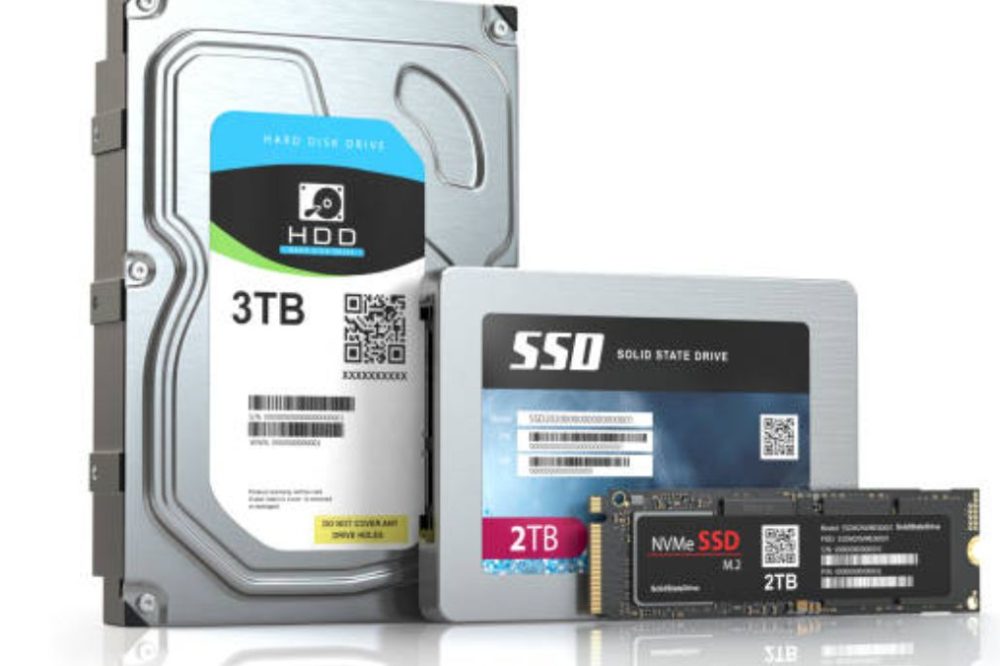
The honest, unsexy reality up front: SSDs and HDDs address different challenges. SSDs are ten times quicker, silent and far more durable as they have no moving parts – yet HDDs still offer considerably more storage per dollar for pure backup and archival applications. This article compares the best external ssd and hard drives for 2026 by actual use case, not just raw specs, so you buy the proper type of drive the first time.
SSD versus HDD for Backup: The Real Decision
Choose an SSD if: You need to access files often You are backing up while traveling or in the field You want silent operation You are editing video directly off the drive
Select an HDD if: you’re generating a “set it and forget it” backup you’ll seldom touch, capacity per dollar is your biggest concern, or you’re archiving years of gathered photographs and video
The price difference between the two is still huge: A Samsung T7 SSD is about $275 per terabyte, while a WD Elements HDD is about $42 per terabyte – almost 6-7x cheaper for the same amount of storage. That distinction gives you either the speed and durability of an SSD or the raw capacity of an HDD, not a one-size-fits-all ‘better’ choice.
Top external SSDs
Samsung T9 – Best External SSD Drive Overall
The Samsung T9 is the best overall selection in nearly every independent 2026 review, offering the best combination of speed, build quality, and broad compatibility of any drive we evaluated. With its USB 3.2 Gen 2×2 interface, you get up to 2,000MB/s read/write speeds, which is nearly 10 times quicker than an average HDD, and a rubberized housing that gives actual drop resistance up to 3 meters. The drive is available in 1TB, 2TB and 4TB models and has built-in 256-bit AES hardware encryption for sensitive data.
Best for: Photographers, videographers and anybody who needs rapid, reliable access to huge files on the go
Speed: Up to 2,000MB/s
SanDisk Extreme Portable SSD – Best Rugged SSD for the Money
The SanDisk Extreme lives up to its rugged reputation with real-world verified durability: an IP65 water and dust resistance rating and shock resistance that has withstood tests that killed out conventional drives while maintaining the speed of the Samsung T7. It is one of the most trusted robust alternatives on the market with more than 90,000 verified user ratings, and is a fantastic value decision especially for those working in outdoor or unexpected circumstances.
Best for: Field shooters, outdoor pros, and anyone who needs true toughness without giving up speed
Cost per GB = ~ $0.174/GB for 1 TB capacity
SanDisk Pro-G40 – Best Thunderbolt SSD
The SanDisk Pro-G40 provides Thunderbolt 3 connectivity with USB fallback for professional workflows requiring the quickest transfer speeds, ensuring compatibility across a wide range of platforms and delivering professional performance.
Best for: Professionals and designers who deal with very huge files and want Thunderbolt speed
SanDisk Desk Drive – Best for Large Capacity in Small Form
The SanDisk Desk Drive has a serious big SSD capacity in a small “hockey puck” form factor, an embarrassment to typical external hard disk enclosures on desk space alone. Up to 18TB. It requires external power and is more expensive than portable drives, but provides the durability of an SSD at high capacity for a desktop backup solution.
Best for: Desk-based backup configurations that require a lot of SSD storage but don’t want a big enclosure
Watch out for: External power required, less portable than battery-free portable drives
SanDisk Creator Phone SSD – Best for Creators Who Use Their Phone as Their Main Device
The SanDisk Creator Phone SSD has been designed exclusively for mobile content creators and provides MagSafe support and Apple ProRes video recording. iPhone videographers may use it to record and backup 4K video, directly to a connected drive, rather than clogging up their phone storage.
Best for: iPhone videographers capturing 4K film that need to record direct to drive
Watch out for: Limited storage choice compared to general purpose portable SSDs, and priced at a premium for the convenience
Best External Hard Disk Drive (HDD)
WD Elements 5TB – Best Bang for Buck Bulk Backup
If you’re looking for straightforward backup and archival storage where capacity-per-dollar is king, the WD Elements 5TB offers unparalleled value at about $42 per terabyte – enough room for years of photo collections, video archives, and entire system images without SSD-level price. Western Digital is small and reliable, and so an obvious choice for anyone who needs bulk storage, rather than speed.
Best for: Set-it-and-forget-it backups, archival storage, and anyone who cares most about capacity per dollar
Cost per GB: About $0.042/GB – the best bargain of any in our whole comparison
WD My Passport – The best all-rounder backup HDD
The WD My Passport is a good option for backup-minded folks. It features internal shock mounting to protect its spinning platters if the drive is bumped or dropped – a durability feature that’s important for a mechanical drive, that SSDs don’t require, but that HDD buyers should particularly look for.
Best for: General backup use if you want more storage per pound than any SSD gives
Watch out for: Meaningfully slower than any SSD on our list – expect around a 4x longer transfer time for the same file compared to an SSD
Seagate Backup Plus – Best High Capacity Portable Hard Drive
The Seagate Backup Plus delivers the greatest capacity portable HDD accessible to the public, with up to 8TB of storage in a truly compact footprint. It also comes with two years of Adobe Creative Cloud Photography Plan with purchase – actual added value for photographers already budgeted for that subscription.
Best for: Photographers and archivists in need of maximum portable storage, with a handy software bundle thrown in
Note: Normal USB 3.0 speeds are fine for backup but not fast enough to operate with current edits directly from the drive
Speed and Interface What the Numbers Really Mean
- USB 3.0 (USB 3.2 Gen 1) – maxes out at 5 Gbps, good for HDDs, bottleneck for SSDs
- USB 3.2 Gen 2 – increases that to 10 Gbps, the minimum needed to fully leverage SSDs up to about 1,050 MB/s
- USB 3.2 Gen 2×2 / USB4 – Up to 20 Gbps, necessary to obtain 2,000 MB/sec+ speeds on devices such the Samsung T9 and SanDisk Extreme Pro
If you buy a fast SSD but hook it up to older USB 3.0 port that really hampers the real world performance of that drive. Check your actual port specification (not the quoted speed of the disk) before assuming you will get those numbers.
How Much Storage Do You Really Need?
- Documents and images: 1TB is often plenty for most users, accommodating approximately 200,000-250,000 photos.
- 2TB is the practical minimum recommended in 2026 for video editing, gaming or RAW shooting
- Archiving years of film or massive game libraries: 4TB to 6TB (or greater for HDDs) makes more sense
- Laptop backups specifically: a basic rule of thumb is about double the internal storage of your laptop, so you can have numerous backup copies, not just one snapshot
If in doubt, buy a little more capacity than you need right now – storage tends to fill up faster than expected and the price difference between capacity tiers is usually less than the inconvenience of running out of space and having to buy some more.
Quick Comparison Table
| Drive Kind | Best For | Approx. Cost/GB | Speed |
|---|---|---|---|
| Samsung T9 SSD | Best overall, active use | ~$0.10-14/GB | Maximum data rate: 2,000 MB/s |
| SanDisk Extreme SSD | Rugged outdoor use | ~$0.174/GB | Compatible with Samsung T7 |
| SanDisk Pro-G40 SSD | Professional Thunderbolt work | – | Professional Thunderbolt 3 |
| SanDisk Desk Drive SSD | High capacity, small footprint | Varies (up to 18TB) | ~850 MB/s |
| WD Elements HDD 5 TB | Best bulk backup bargain | ~$0.042/GB | Standard HDD speeds |
| WD My Passport HDD | General backup, shock-proof | Low | Standard HDD speed |
| Seagate Backup Plus Hard Disk Drive | Max portable capacity (8TB) | Low | USB 3.0 |
Do You Still Need an External Drive When You Use Cloud Backup?
Yes – the two are not a replacement for one other for very significant facts. Cloud backup services satisfy the “off-site” aspect of a sound backup strategy, but combining them with a local external drive shields you from the slim but real chance of an account problem, subscription lapse or provider-side issue impacting your sole copy. The popular 3-2-1 backup guideline -three copies of your data, on two different types of media, with at least one off-site- really does require both a local external drive and a cloud or off-site copy, not one or the other.
Choosing the Right Drive for You
- If you want fast, consistent access to files on the fly, the Samsung T9 is the safest all-round SSD selection for most individuals in 2026.
- If you work outside or in uncertain situations, the SanDisk Extreme’s real robust protection is worth the extra above a conventional SSD.
- If all you want to do is backup as much data as you can for as little money as possible, it’s hard to match the price-per-terabyte of the WD Elements 5TB.
- An 8TB HDD like the Seagate Backup Plus provides the greatest storage for the money if you want to archive years of enormous movie or photo libraries and don’t need to use them often.
- If you’re shooting video on an iPhone, the SanDisk Creator Phone SSD’s MagSafe and ProRes support solves a very particular workflow challenge.
- Whatever drive you use, back it up to the cloud for everything you can’t afford to lose and follow the 3-2-1 rule.
Conclusion.
There’s no one greatest external ssd or hard drive that wins for all use cases in 2026 – the ideal decision depends solely on whether speed or capacity-per-dollar counts more for your individual backup needs. The Samsung T9 is still the best all-round SSD for active use, editing and travel, but the SanDisk Extreme brings some real durability to the table at a similar price range. If you just want to back up and archive data, and you don’t need to keep accessing the files, the WD Elements HDD offers far more bang for your buck than any SSD. It’s the better choice if you have years’ worth of images and videos you rarely open.
Whichever disk you pick, don’t think of it as your only backup. For anything truly irreplaceable, use both local external storage and a cloud backup service, and buy more space than you think you’ll need now, because storage fills up faster than most people predict.
FAQ
1. Should I use an external SSD or HDD for backup?
It is contingent upon what you want to do. Active use and travel are best served by quicker, quieter and more robust SSDs such as the Samsung T9, although they come at a substantially higher price per terabyte. If you want pure “set it and forget it” backup and archive storage where performance is not as important, HDDs like the WD Elements offer significantly more storage per dollar.
2. Which is the greatest external SSD in 2026?
Also, it’s largely seen as the best overall external SSD of 2026, with a good balance of speed (up to 2,000 MB/s), build quality and wide compatibility. For anyone who needs real robust, field verified durability, the SanDisk Extreme is the best value selection.
3. How much storage space do I really need for backup?
1TB is often plenty for documents/photos. For video editing or gaming, 2TB is the practical minimum advised in 2026, while archiving years of enormous media libraries often requires 4TB to 8TB or more with an HDD where that capacity comes at a considerably lower price than an SSD counterpart.
4. Do I Need An External Hard Drive While Using Cloud Backup?
Yes, for truly important info. Cloud backup and local external storage both have a different role to play in a comprehensive backup strategy. The usually advocated 3-2-1 rule recommends having three copies of your data on two different types of storage media, with at least one duplicate off-site. This usually means you’ll have to use both local external drives and cloud backup, rather than simply one or the other.
5. Why do external SSDs cost so much more than external HDDs of the same capacity?
SSDs are faster, quieter and more robust than traditional spinning-platter hard drives because they have flash memory that has no moving parts.That price for that durability and performance advantage shows up in the cost – in 2026, SSDs tend to cost about 5-7x more per terabyte than HDDs of a similar capacity.

Enjoyed this article?
If this guide helped you, consider supporting Rough Diary. Your support helps us continue creating practical, informative, and useful AI and technology content.





