
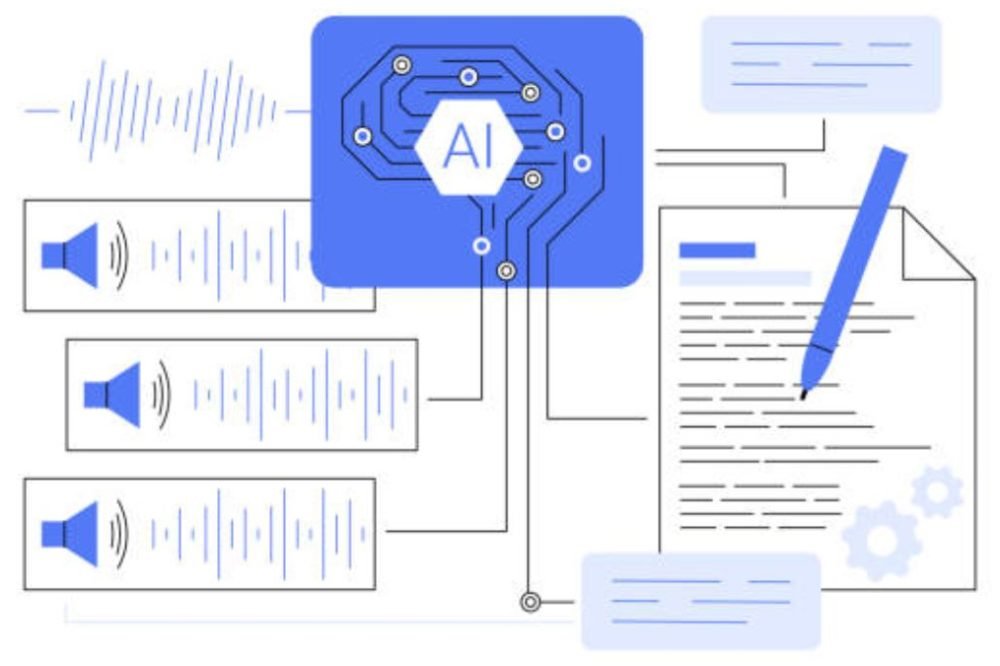
ai meeting

Best AI Meeting Assistants & Transcription Tools

Meetings are where decisions are made, but also where knowledge is lost. Someone forgets to send follow-up letters, action items slide through the cracks, and no one can remember who promised to do what. AI meeting assistants have changed that, showing up to every meeting, transcribing everything spoken, automatically pulling out action items and providing summaries before the meeting is even complete.

The best AI meeting assistant is no longer only a transcription tool, but a comprehensive meeting intelligence platform that summarizes discussions, emphasizes decisions, allocates tasks, and even discovers ideas you might have overlooked. In this article, we’ll review the best AI meeting assistants and meeting transcribing software of 2026, what makes a truly useful tool differentiate from the costly noise, and how to select the proper platform for your team’s particular workflow.

AI Meets Assistants 2026 The significance of

Knowledge workers spend 8-10 hours a week in meetings, yet much of that time is spent taking notes, not contributing. An AI meeting assistant does the inverse – the software does the transcription and summary, and people stay in the chat.

Modern AI meeting solutions don’t only take notes, they bring real intelligence. They note the decisions made during the call, extract the action items and assign owners, take care of follow-ups on many meetings, and even highlight the important moments you missed when you were busy during the call. An automatic meeting record which captures everything including tone and context is tremendously beneficial for remote teams in different time zones.

How to Evaluate an AI Meeting Assistant

But before we get into the nitty-gritty of evaluating particular platforms, here’s how to identify a time-saving technology from mere hype:

  • transcribing quality matters more than you think – real-time transcribing accuracy. If accuracy is poor, more time is spent repairing the transcript than it would take to listen to the entire meeting. Find tools trained on business terminology, technical jargon and accents your company commonly uses.
  • Automatic action item extraction – summaries are nice, but the real value is to automatically detect and assign action items, with the due dates from the dialog.
  • Integration with your calendar and tools The best meeting assistant should be able to integrate with your calendar system (Google Calendar, Outlook), CRM and Slack so information flows seamlessly via your existing processes instead of living in isolation.
  • Speaker identification – it’s necessary to identify who said something for accountability. Look for techniques that can correctly identify different speakers, even if they interrupt each other or talk over each other.
  • Privacy & Security – your meetings include sensitive information. Ensure that the platform offers encryption, options for data residency and clear limitations on who can see the recordings.
  • Collaboration features – If a team member missed a meeting, they should be able to search, clip and reference certain parts, instead of having to re-watch full recordings.
  • cost Transparency – Many tools have high introductory cost that increases dramatically with renewal. Find out the real all-in cost before you agree.

1. Otter.ai Best AI Meeting Assistants 2026

Otter.ai is one of the most popular AI meeting transcription solutions, especially for solo professionals and small teams. It offers real-time call transcription, automatic speaker identification and searchable transcripts that you can share with team members. The free tier is generous enough for occasional use and the more expensive plans are rather reasonable.

Best for: Solo professionals, small teams, and those who make the occasional video conference and want simple, consistent transcription without the administrative burden.

Note: The real-time transcription quality is dependent on the audio quality and accents. The free tier is limited to 600 minutes each month.

2. Fireflies.io

Fireflies does it a bit differently – it attends your meeting as a bot participant, transcribes everything and surfaces action items automatically. It interacts neatly with calendars and collaboration tools, bringing summaries back into your team’s workspace. The UI is cleaner than Otter’s and it performs a particularly nice job of drawing out action items.

Best For: Teams who use video conferencing (Zoom, Google Meet, Teams) and want an automated meeting assistant to attend every conference without the need for manual recording.

3. Recording Microsoft Teams Meetings

If your organization already uses Microsoft Teams, transcription and meeting summaries are included into the platform at no extra cost. With Copilot Pro, we’re bringing even more meeting intelligence to our customers, such automated highlights and chapter markers. If you’re all in with Microsoft, then you don’t need to acquire a separate product at all.

Best for: Companies committed to Microsoft Teams and seeking to integrate meeting intelligence without additional software or costs.

4. Auto Captions & Record Option in Google Meet

Google Meet has really stepped up its in-built captioning and automatic recording in 2026, now with basic transcription directly within the conference. It’s not as sophisticated as dedicated AI meeting assistants but it is a fine place to start for teams living in Google Workspace and not needing advanced features like action item extraction.

Best for: Small teams and businesses that are on Google Workspace and require simple transcription, but don’t want to add a new product.

5. Rewatch

Rewatch is a different kind of video tool – it doesn’t replace your meeting experience, but helps you recognize and share moments from past sessions. It transcribes everything, makes recordings searchable by speaker or topic, and lets team members clip and share key parts. This is not about note taking in meetings. This is about making your current recordings actually useful.

Great for: Teams with several meetings who want a better way to search, reference, and share specific moments across the enterprise.

6. Birthed

Notta is an AI application that records, transcribes meetings. It is pretty good at supplying you with real-time transcriptions during video calls. It supports many languages and can give automatic summaries in a variety of styles (executive summary, comprehensive, key points). Multi-language support will be extremely valuable for teams working across areas and languages.

Best for: Global teams requiring powerful multilingual transcription and flexible summary styles for different audiences.

7. MemoryX (formerly Fathom)

MemoryX was self taught, listening in on millions of real business conversations, thus it’s exceptionally strong at business specific terminology and jargons. It works natively with Zoom and Google Meet, automatically recording and transcribing calls without anyone having to turn anything on.

Best for: Teams on Zoom who want a set-and-forget way to transcribe with minimal setup or friction for participants.

8. Grain.co

Grain blends meeting recording with collaborative video highlighting so teams may flag significant moments, publish those to Slack or email and build searchable libraries of crucial moments. It’s especially beneficial for sales and customer success teams who want to share highlights from client calls.

Best for: Sales, customer success, and support teams that want to clip, share, and analyze moments within client calls.

AI Meeting Assistants vs. Traditional Meeting Recording

There’s a vast difference between recording a meeting and capturing the intelligence of a discussion. Traditional conference recording software just dumps out a video file that someone has to sit through again (time consuming and painful). AI meeting assistants transcribe the audio, surface the decisions and action items, and disclose the main points so no one needs to re-watch the entire session.

Most modern platforms do both now. They record the actual video (in case you need it) and simultaneously provide transcripts, summaries and searchable highlights that capture the wisdom of the discussion without the 1:1 time load of re-watching it.

Hype vs. features you will really utilize

Test drive a top AI meeting assistant with these real time-saving features:

  • Automatic action item extraction — this alone can save hours of follow up emails explaining who agreed to do what.
  • Search through old meetings. Being able to search for a given moment or choice that was discussed weeks ago over dozens of calls is quite handy.
  • Integration with task management systems – when action items flow into your project management software, you have grabbed significant value.
  • Clip & Share – Teams that need to onboard new people or refer to specific times require an easy alternative to clip and share without re-watching the whole tape.

Don’t get seduced by bells-and-whistles features like sentiment analysis or “engagement scoring” until your team really needs them – most sophisticated AI meeting solutions do a good job with transcription, summarization and extraction of action items.

How much do AI meeting assistants cost?

The price is structured as follows:

  • Free plans: $0/month (most free plans limit transcription to 300-600 minutes/month) Good for testing or occasional use by one specialist.
  • Individual and small-team options: $10 to $30 a user a month and include unlimited transcription, automatic summaries and linkages to calendar other common tools.
  • Team/Business plans: $50-$300/month for team collaboration features, admin controls, integrations to multiple collaboration tools and CRM systems.
  • Enterprise plans: Custom integrations, SSO, data residency, dedicated support from $1,000+/month.

Pricing tends to rise with the number of users, so it’s vital to forecast your actual team size and consumption habits before signing up for a plan. If a team of 5 uses one of these apps on a daily basis, the total cost could be $50-100/month.

How to Choose the Best Meeting Assistant for Your Team

The correct answer is usually always:

  • Your main video conferencing tool-if your team uses Zoom, MemoryX or Fireflies.io, it works most smoothly. Google Meet users should turn to Google’s own offerings or Otter.ai. If you are a user of Microsoft Teams, then ask yourself whether the built-in transcribing is enough for you.
  • With recordings If your team need notes and action items from every meeting, any tool will basically work. If you’re constantly clipping and sharing certain moments (especially prevalent in sales and customer success), applications like Grain or Rewatch have an advantage.
  • Privacy and compliance needs – if your sector has strict data handling regulations (healthcare, finance), make sure the solution offers data residency options and clear compliance certifications before committing.
  • Your current workflow – The greatest tool is the one your team will use regularly. Begin testing on free tiers so that it fits into your team’s existing workflow.

Best Practices for AI Meeting Assistants

It’s not enough to simply install a meeting assistant, you need to use it wisely:

  • Set expectations – Tell the group that the meeting is being transcribed and summarized, and be transparent about how recordings will be used and stored.
  • Assign ownership to action items. Transcription is important, but action items are only useful if someone owns them and follows up. Make sure that your solution is linked with task management, so that items are really tracked.
  • Check summaries for accuracy – AI transcriptions get 95%+ of information right but always skim summaries for accuracy before sharing, especially on critical calls.
  • Searchable recordings – The real value of this is when your team can really identify moments from earlier meetings. Recordings can often languish in a graveyard of unclicked links.

Final Thoughts

The ultimate AI meeting assistant saves your team hours a week transcribing and taking notes so they can get on to the real work and decision making. Start with the free tier and check if the tool’s transcription accuracy works for your team’s speech patterns and accents. Once you know that it’s really saving time, not creating busywork, move to a subscription plan.

Otter.ai, Fireflies.io or your video platform’s built-in transcription is 80% of what most teams need. “If you’re in sales or customer success or legal, you might need more advanced technologies to support specialized teams, but basic transcribing and summarizing is the minimum any team should have.”

FAQs (Frequently Asked Questions)

1. What is the best AI meeting assistant for Zoom?

Both Fireflies.io and MemoryX are Zoom-only products with automatic attendance, real-time transcription, and simple integration. Otter.ai is another nice one and it works on many platforms if your team is using different video conferencing software.

2. How accurate is AI transcription of meetings?

Today’s AI transcription systems, such as Otter.ai and Fireflies, are above 95% accurate for clear audio with native English speakers. Thick accents, background noise or technical jargon will affect accuracy, therefore always check crucial transcripts for correctness, don’t assume they are faultless.

3. Is there anything the participants have to do at a meeting to use an AI meeting assistant?

Depends on the tool. Some (like Fireflies) join as a bot attendee without any attendee setup. Some (like Otter) need the host to start the recording. Check out the features of the instrument – great ones cause the least amount of friction from the participants.

4. Do AI meeting helpers automatically extract action items?

Most of the newer systems are able to pick up on action items uttered during the call although the accuracy varies. Tools such as Fireflies are especially good at getting action items out of meetings. Verify extracted items for accuracy. Assign clear owners. Don’t rely on automation alone.

5. How does an AI meeting assistant differ from simply recording on Zoom or Google Meet?

Embedding the recording results in a video file that needs to be watched manually to be useful. AI meeting assistants automatically transcribe, summarize, extract decisions and action items and make sessions searchable, which greatly lowers the painful work of getting information out of meetings.





